baresip
baresip is a simple SIP client for Android. It is Open Source and available from the F-Droid Free Software store.
Configuration
-
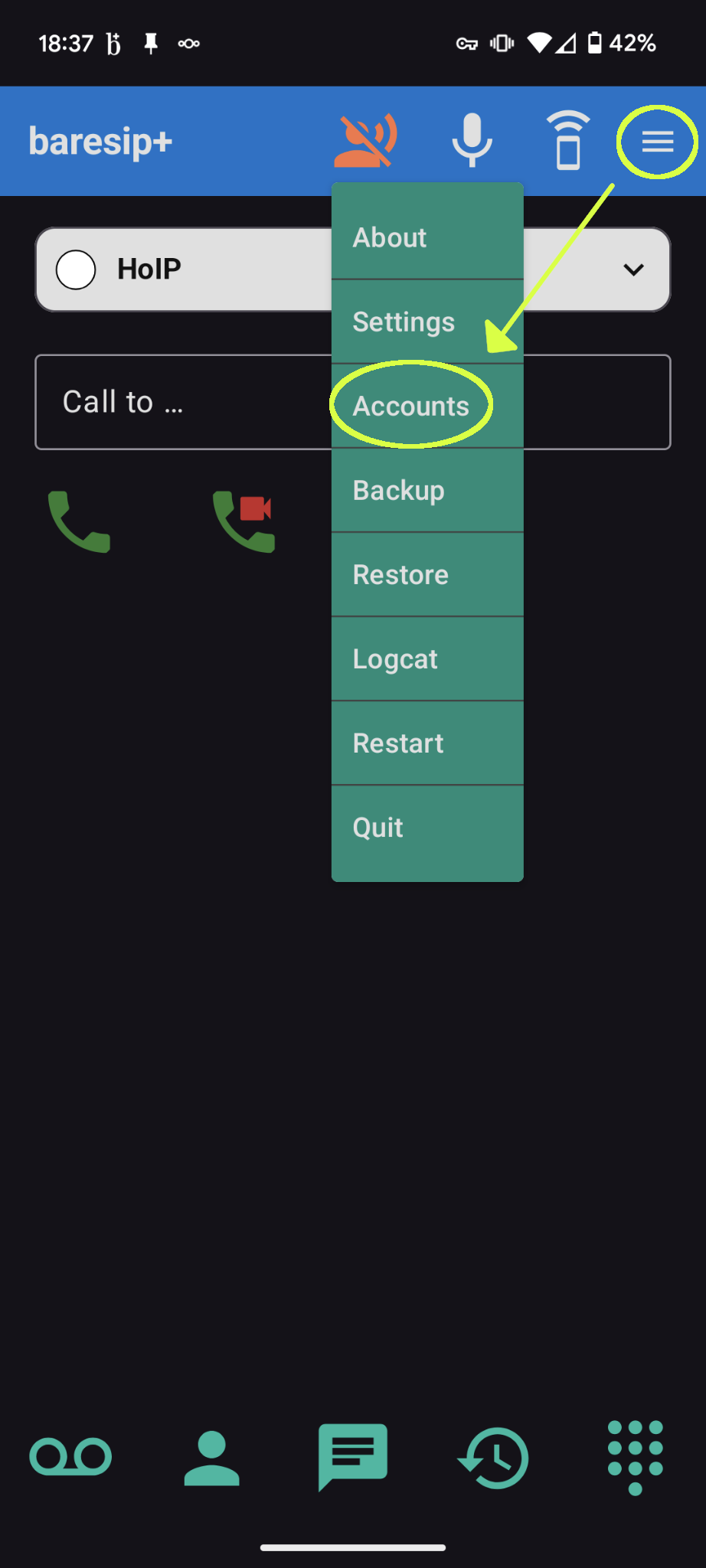
Tap the hamburger button on the top right, and choose “Accounts”
-
On the Accounts screen, add the SIP URI of the account. It will be of the form
sip:<EXTENSION>@<SERVER>:<PORT>, from the response email to your extension request.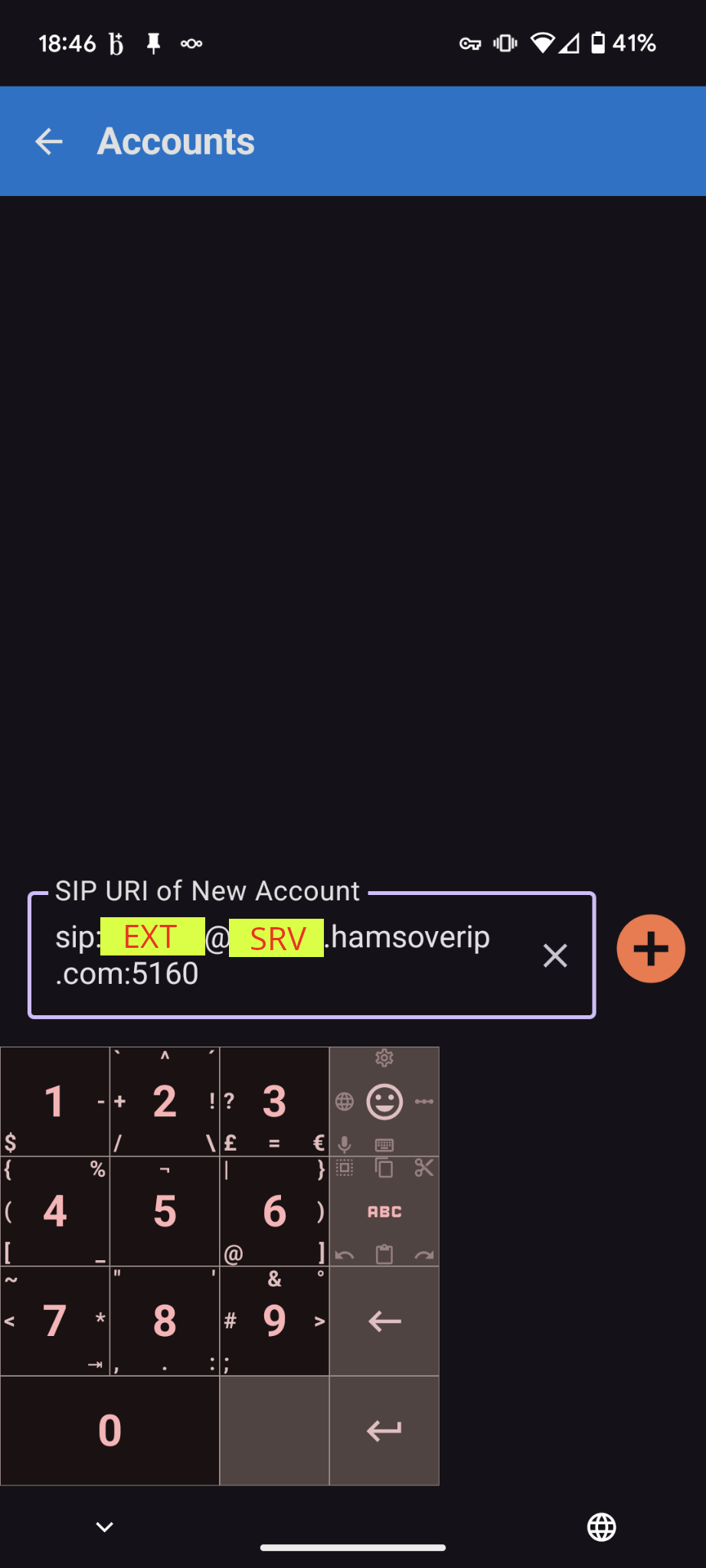
-
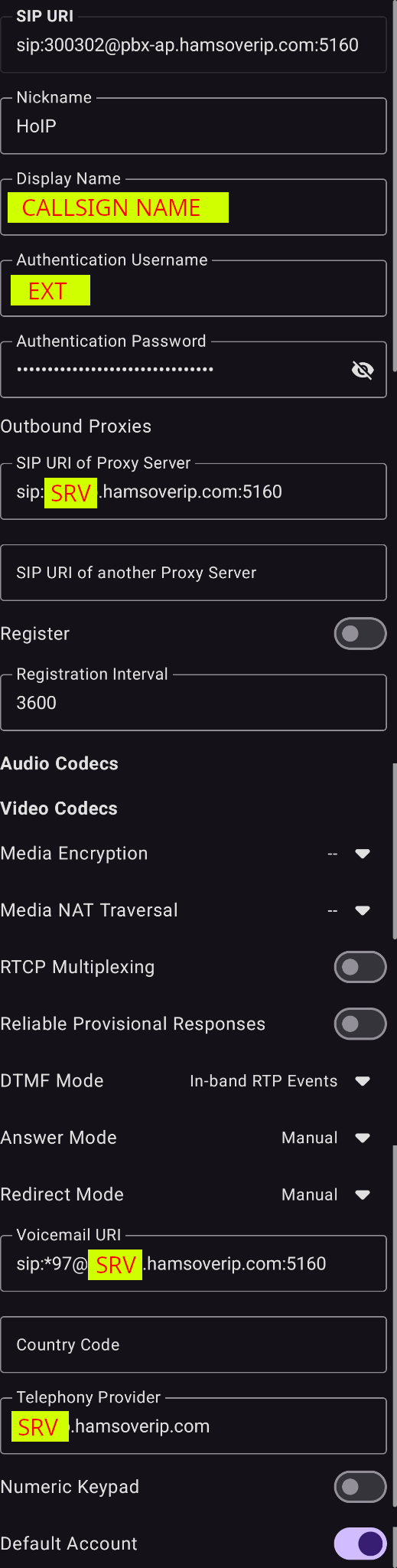
In the account details
-
Use a recognisable nickname for the account, e.g., “HoIP”; this is only for you
-
Set the display name to a friendly string, e.g.,
<CALLSIGN> <FIRST NAME> -
Set the “Athentication Username” to the
<EXTENSION>from the email. -
Set the “SIP URI of Proxy Server” to
sip:<SERVER>:<PORT>. -
Set the “Registration interval” to 3600
-
Set the “Voicemail URI” to
sip:*97; baresip will append the server details automatically on save. -
The “Telephony Provider” should already be set to
<SERVER> -
You may want to toggle the “Numeric Keypad” and “Default Account”
-
Last updated 2025-10-26 by Olivier VK7SHM